
How tax document workflow works for finance pros

Tax document workflow is the structured sequence of stages that transforms raw client submissions into accurately prepared and filed tax returns through automation, validation, and human review. Understanding how tax document workflow works is not optional for finance professionals and business owners. Errors in document handling create compliance failures, penalties, and client trust issues. A well-designed tax workflow process covers everything from initial document intake through OCR extraction, quality control, and e-file acceptance tracking. This article maps each stage precisely, so you can identify where your current process loses time or accuracy.
How tax document workflow works: the seven core stages
A typical tax document workflow includes seven defined stages: Intake, Document Request, Document Validation, Preparation, Review and Quality Control, Pre-Processing, and E-File plus Acceptance Tracking. Each stage has a defined input, a defined output, and clear criteria for moving to the next. That structure is what separates a repeatable, scalable process from an ad hoc scramble during busy season.
Stage 1: Intake. The client relationship opens here. You collect basic engagement information, confirm the scope of work, and open the file in your practice management system. Tools like Canopy, TaxDome, or Karbon are commonly used at this stage to create the client record and assign the return to a preparer.

Stage 2: Document Request. You send the client a document organiser listing every form required for their return. This is the trigger point for your automated reminder cadence, covered in detail in the next section.
Stage 3: Document Validation. Every received document is checked against the request list. Missing items are flagged. Unreadable scans are returned. The return does not move to Preparation until the document set is complete and legible.
Stage 4: Preparation. The preparer works the return using validated source documents. OCR extraction tools feed structured data into the tax software, reducing manual re-keying. ProConnect Tax, Lacerte, and Drake Tax are the most widely used platforms at this stage.
Stage 5: Review and Quality Control. A senior preparer or manager reviews the completed return against source documents. This is where human judgement catches what software cannot contextualise, including mismatched tax years, incorrect box references, and identity discrepancies.
Stage 6: Pre-Processing. The return is assembled for transmission. Engagement letters are signed, authorisation forms are completed, and the file is locked for e-filing.
Stage 7: E-File and Acceptance Tracking. The return is transmitted and tracked through to agency acceptance. Refund status is monitored and communicated to the client.
Standardised workflows with defined movement criteria eliminate friction and reduce manual status checking. That efficiency gain is most visible during the January to April filing peak, when volume is highest and errors are most costly.
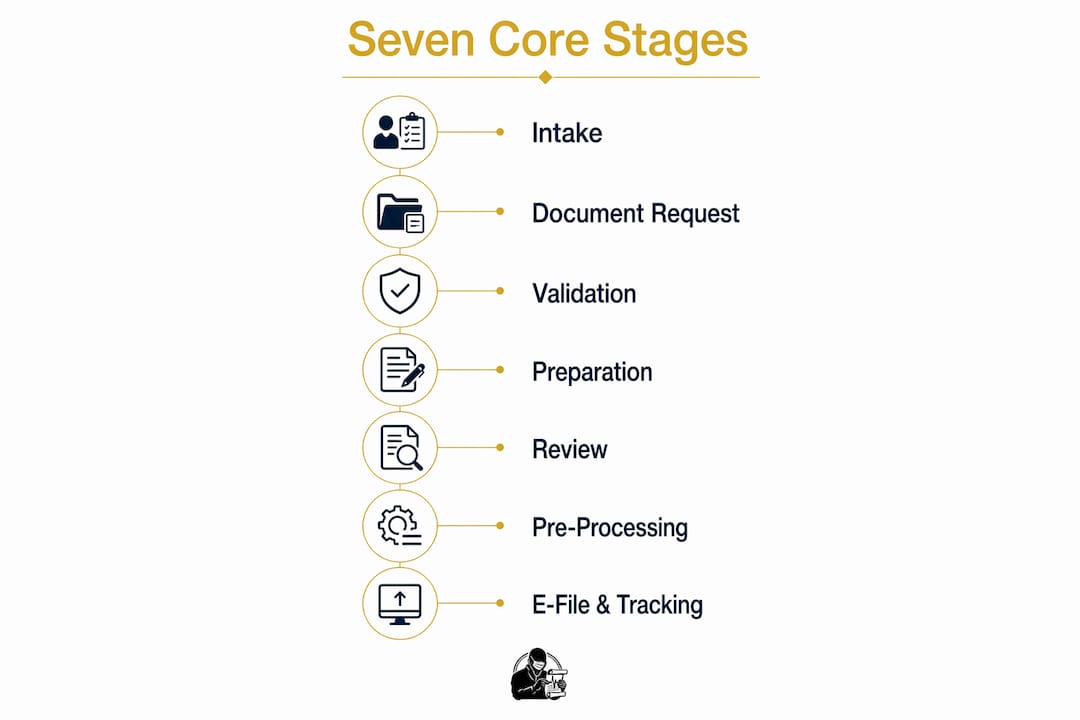
Pro Tip: Map your current process against these seven stages and identify which ones lack a defined output criterion. Those gaps are where returns stall and staff time disappears.
How does automation improve document collection?
Automated reminder cadences are the single most effective tool for reducing the manual effort of chasing client documents. The recommended approach sends portal-linked messages on day 7, 14, and 21 after the document organiser is issued. Each message references only the documents still outstanding, not the full original list.
That distinction matters. Exception-driven messaging listing only outstanding items minimises cycle time and avoids client confusion. A client who receives a reminder listing 12 items when they have already submitted 10 loses confidence in your process. A reminder listing the two remaining items prompts immediate action.
The practical benefits of this approach include:
- Reduced staff time. No one manually tracks which clients have responded and which have not. The system handles that.
- Faster document completion. Clients receive targeted, timely prompts rather than generic chase emails.
- Audit trail creation. Every automated message is logged with a timestamp, creating a record of your collection efforts.
- Client portal adoption. Portal-linked reminders drive clients to upload directly, reducing email attachments and version control problems.
The client portal is central to efficient tax document management. Portals like SmartVault, ShareFile, and the native portals within TaxDome or Canopy provide a single location for document exchange, reducing the risk of sensitive data travelling through unencrypted email. For finance professionals handling GDPR-regulated client data, secure document transmission is not a preference. It is a legal requirement.
Pro Tip: Set your day 21 reminder to escalate to a phone call trigger rather than a third automated message. Clients who have not responded after three portal nudges rarely respond to a fourth.
How is OCR integrated into the tax document process?
Optical character recognition (OCR) converts scanned tax forms into structured, machine-readable data. A CPA-firm OCR workflow has six parts: collecting mixed PDF files, classifying documents by form type, extracting relevant fields, exporting to a reviewable format such as a spreadsheet, conducting exception reviews, and handing off approved data to the preparer.
The classification step is where tax-specific OCR differs from generic document processing. A W-2, a 1099-DIV, and a K-1 each have different field structures, different box labels, and different tax implications. Generic OCR tools treat them as undifferentiated text. Tax-specific OCR tools, such as those built into Canopy or third-party extraction services, recognise form types and map fields to the correct tax lines automatically.
The table below shows the six OCR stages and their outputs:
| OCR Stage | Output |
|---|---|
| Mixed file collection | Consolidated PDF set per client |
| Document classification | Form type identified (W-2, 1099, K-1, etc.) |
| Field extraction | Structured data per form field |
| Export to reviewable format | Spreadsheet or structured data file |
| Exception review | Flagged items resolved by preparer |
| Data handoff | Approved data passed to tax software |
Preserving file and page references throughout this process is critical. Without source references, quality control becomes inefficient, requiring re-keying or rescanning, which increases the risk of errors in the final return. Every extracted data point should link back to the exact page in the source document so a reviewer can verify it in seconds rather than minutes.
The handoff stage is the critical control point in the entire extraction process. Traceable, reviewable data at handoff enables rapid resolution of exceptions and prevents rework downstream.
What is the process for e-file acceptance and refund tracking?
E-file tracking separates into two distinct processes: transmission acknowledgement and refund processing. Conflating them creates inaccurate client communication and unnecessary support queries.
E-file acknowledgements are typically available within 1–3 business days for federal returns and 2–5 business days for state returns. The status sequence runs from received by software, to received by agency, to accepted or rejected. A rejection at any point requires the preparer to identify the error, correct it, and retransmit.
Once accepted, the IRS refund process follows its own timeline. IRS refund processing includes three stages: Return Received, Refund Approved, and Refund Sent. Direct deposit refunds typically complete within 21 days. Returns claiming the Earned Income Tax Credit or the Additional Child Tax Credit are held under the PATH Act until after 15 february, regardless of when the return was filed.
The table below compares the two tracking processes:
| Tracking Type | Stages | Typical Timeline |
|---|---|---|
| E-file acknowledgement | Received by software, received by agency, accepted, rejected | 1–5 business days |
| IRS refund processing | Return Received, Refund Approved, Refund Sent | Up to 21 days for direct deposit |
| PATH Act returns | Held at Return Received | Released after 15 february |
Separating these two tracking processes in your workflow system allows you to give clients accurate, stage-specific updates. A client whose return has been accepted but whose refund is held under the PATH Act needs a different message than one whose return is still awaiting agency acknowledgement.
What requires human judgement in tax document review?
Software cannot contextualise information returns without human review. Tax preparers must apply judgement by verifying taxpayer identity, confirming the tax year on each document, checking box labels against the correct form version, and interpreting the tax consequences of each data item. These are not mechanical tasks. They require professional knowledge.
The specific areas where human review is non-negotiable include:
- Identity verification. Confirming that the name and taxpayer identification number on each document match the client record.
- Tax year confirmation. Checking that every document relates to the correct filing year, particularly for amended returns or late-filed prior-year returns.
- Box label interpretation. Understanding that box 3 on a 1099-MISC and box 3 on a 1099-INT represent entirely different income types with different tax treatment.
- Contextual anomalies. Identifying when a reported amount is inconsistent with prior-year figures or the client’s known circumstances, which may indicate an error on the issuer’s part.
Well-designed workflows reserve human input for these exception and ambiguity cases. Routine extraction and data entry are automated. Judgement calls are escalated to the preparer. That division of labour is what makes efficient tax document management achievable at scale without sacrificing accuracy. For finance professionals handling KYC document obligations, the same principle applies: automate the routine, scrutinise the exceptions.
Audit-trail logging must happen as work progresses, not as a retrospective task. Workflow systems that log every action in real time satisfy documentation retention requirements and provide a defensible record if a return is later queried.
Key takeaways
A well-structured tax document workflow reduces errors, satisfies compliance requirements, and scales efficiently when automation handles routine tasks and human review is reserved for exceptions.
| Point | Details |
|---|---|
| Seven defined stages | Every return should move through Intake, Validation, Preparation, Review, Pre-Processing, and E-File tracking in sequence. |
| Automated reminder cadences | Send portal-linked reminders on day 7, 14, and 21, listing only outstanding documents to reduce client confusion. |
| OCR with source references | Preserve file and page references during extraction to make quality control fast and rework avoidable. |
| Separate e-file and refund tracking | Track transmission acknowledgement and IRS refund stages independently to give clients accurate, timely updates. |
| Human review for exceptions | Automate data extraction but require preparer sign-off on identity, tax year, and contextual anomalies. |
Where most tax workflows actually break down
After working with finance teams and CPA firms on document processing, the failure point is almost never the tax software. It is the handoff between stages. A return sits in a shared inbox waiting for someone to notice it has moved from Validation to Preparation. A client portal shows documents uploaded but no one has triggered the next stage. The seven-stage model is sound. The execution collapses at the transitions.
The firms that get this right treat stage movement as a system event, not a human decision. When the last document is uploaded and validated, the system automatically assigns the return to a preparer and sends a notification. No one has to remember to check. That single change removes the most common source of delay I have seen in practice.
The second observation is about audit trails. Most firms think about audit logging as a compliance formality. The teams that use it well treat it as a live operational tool. When a client disputes a figure or a regulator requests documentation, a timestamped log of every action on that return is the difference between a two-minute resolution and a two-day search. Build the logging in from the start, not as an afterthought.
The uncomfortable truth about automation in tax workflows is that it only works if the document organiser is precise. Vague requests produce incomplete submissions. Incomplete submissions break the cadence. The quality of your intake document determines the quality of everything downstream.
How Docpolish supports accurate tax document processing
Docpolish is built for exactly the compliance pressures that finance professionals face in tax document processing. Its client-side PII detection and anonymisation means sensitive taxpayer data never leaves the user’s browser before being processed, satisfying GDPR requirements without compromising document quality.
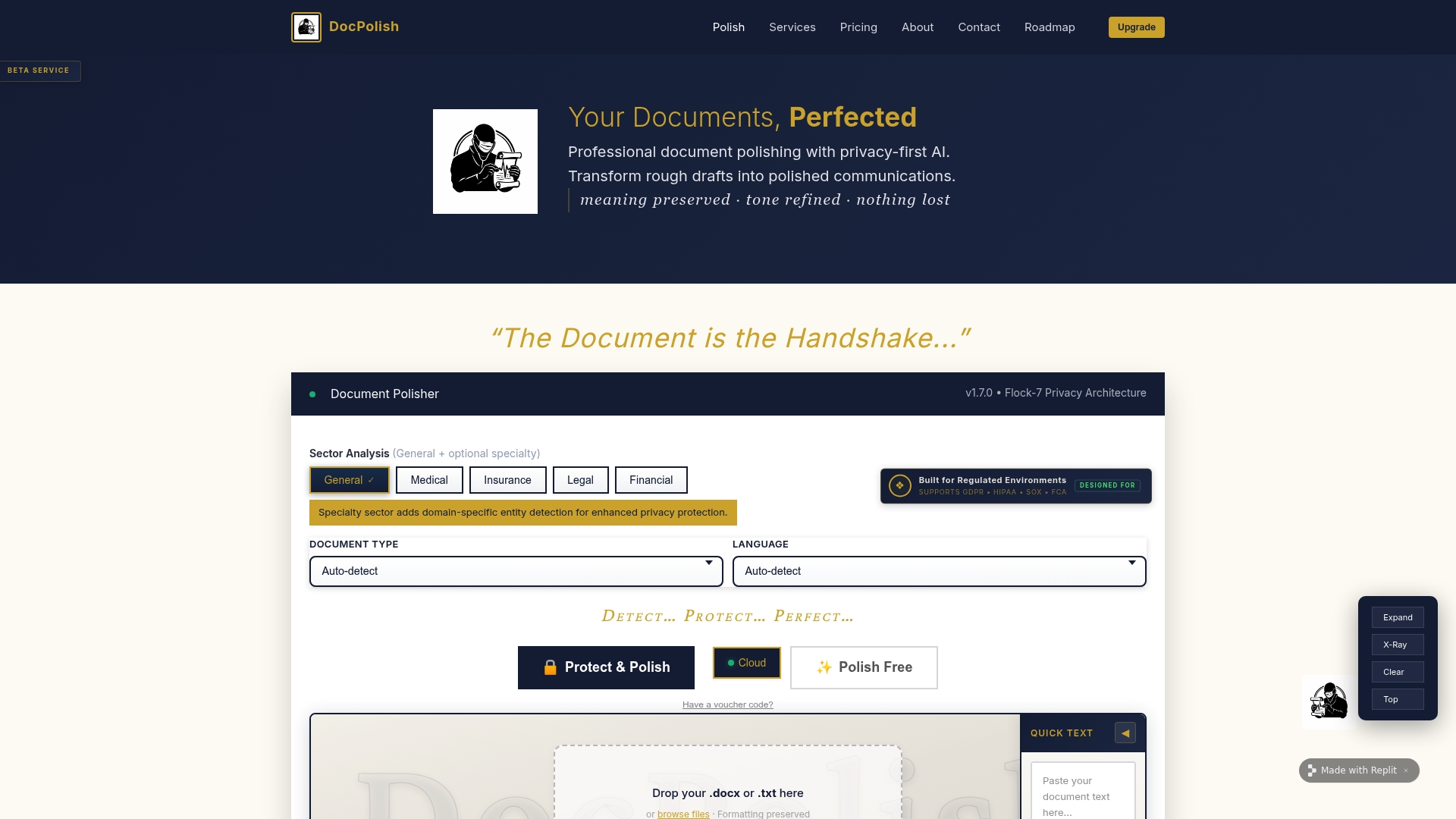
Every document processed through Docpolish receives a trust identifier, creating the audit trail that regulators and IRS documentation requirements demand. For firms handling high volumes of tax forms, that combination of privacy-first processing and automatic audit logging removes two of the most persistent compliance risks in one step. Explore how Docpolish can support your tax document management process and see the difference a privacy-first approach makes to your workflow accuracy and compliance posture.
FAQ
What are the main stages in a tax document workflow?
A standard tax workflow covers seven stages: Intake, Document Request, Document Validation, Preparation, Review and Quality Control, Pre-Processing, and E-File plus Acceptance Tracking. Each stage has defined inputs and outputs to keep returns moving without manual status checks.
How long does e-file acceptance take?
Federal e-file acknowledgements are typically available within 1–3 business days. State acknowledgements take 2–5 business days, depending on the agency.
Why does OCR need to preserve source references in tax workflows?
Without file and page references, quality control requires re-keying or rescanning documents, which increases error risk. Preserved references allow a reviewer to verify any extracted figure against the original document in seconds.
What is the PATH act hold on refunds?
Returns claiming the Earned Income Tax Credit or Additional Child Tax Credit are held under the PATH Act until after 15 february. This applies regardless of when the return was filed or accepted.
Can automation replace human review in tax document processing?
Automation handles extraction and routine data entry effectively. Human review remains necessary for verifying taxpayer identity, confirming tax years, interpreting box labels, and identifying contextual anomalies that software cannot assess without professional knowledge.