Safe document workflow in regulated environments: 2026 guide
A safe document workflow in regulated environments is a system that guarantees integrity, traceability, and compliance through secure audit trails, rigorous access controls, and policy-driven lifecycle management. Healthcare, legal, and finance professionals face mounting pressure from frameworks including HIPAA, 21 CFR Part 11, and NIST 800-53 to prove that every document action is recorded, authorised, and reversible. General file management tools do not meet this bar. Platforms like Docpolish, purpose-built for regulated data handling, address the gap by combining client-side anonymisation with AI-assisted document refinement and a trust identifier for every processed file. Getting the foundations right from the start is far cheaper than remedying an audit exception after the fact.
What are the essential components of a safe document workflow?
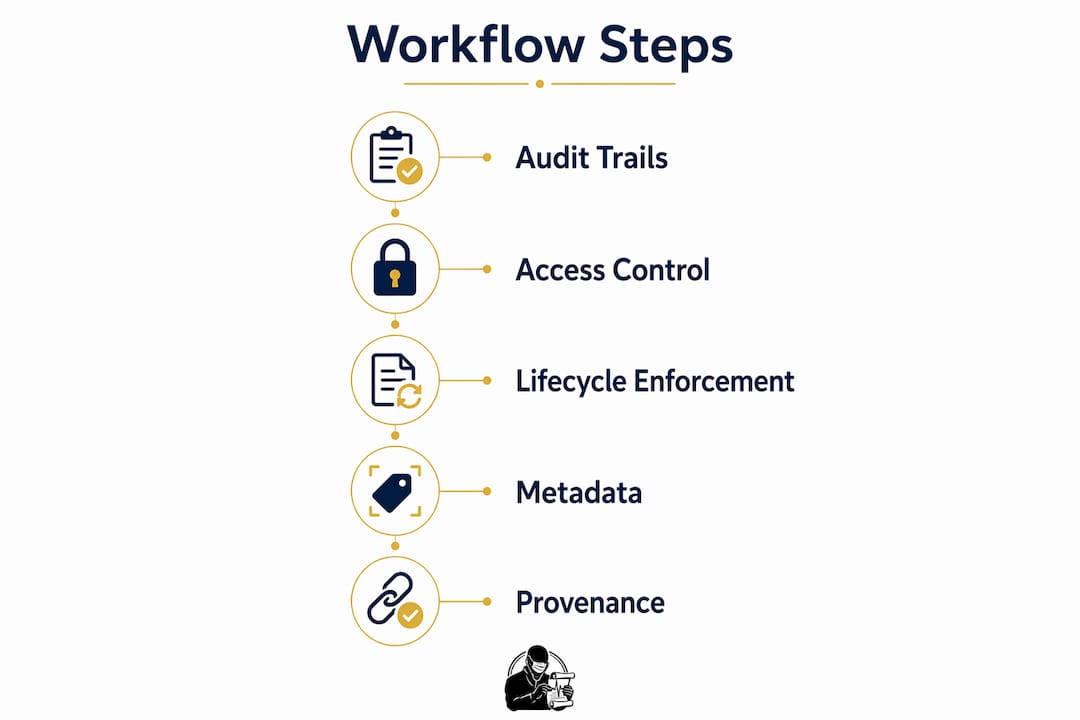
A safe document workflow in regulated environments rests on four non-negotiable pillars: audit trails, access control, lifecycle enforcement, and metadata integrity. Miss any one of them and your compliance posture has a gap that auditors will find.
Audit trails are the most scrutinised element. 21 CFR Part 11 mandates secure, computer-generated, time-stamped records that independently capture operator actions and preserve prior record values. A compliant audit trail entry must record the operator ID, system timestamp, record identifier, changed elements, original and new values, and the reason for the change. Incomplete audit logs that omit before-and-after values or change rationale do not satisfy typical regulatory expectations.

Access control is equally critical. NIST 800-53 AU-9 requires that audit logs be protected from unauthorised modification or deletion, including by administrators. Best practice separates audit records architecturally from operational data to prevent tampering. Privileged access must be limited and monitored, and auditors expect administrator actions such as permission changes to appear in the same trail as standard user actions.
Lifecycle enforcement means the system, not the person, controls document state transitions. Procedural blocks alone are insufficient; digital signatures and programmatic state enforcement are required for compliance with quality systems. A document in an approved state must be locked against edits, with any change triggering a new revision workflow.
Metadata and provenance controls close the remaining gaps. Every document entering the workflow must carry accurate classification, source identification, and version history from the point of intake.
Pro Tip: Set up a dedicated audit log repository that is architecturally separate from your document store. This single step satisfies NIST AU-9 and makes log integrity defensible during an inspection.
| Requirement | Regulatory reference | What it demands |
|---|---|---|
| Time-stamped audit trail | 21 CFR Part 11, Annex 11 | Immutable, computer-generated record of every action |
| Access and privilege control | NIST AU-9 | Separated log store, limited admin access, monitored |
| Lifecycle state enforcement | ISO 9001, 21 CFR Part 11 | System blocks post-approval edits; revision workflow required |
| Retention and review | HIPAA, NIST AU-6 | Six-year minimum for HIPAA; scheduled review and reporting |
| Metadata and provenance | Annex 11, sector QMS | Classification, source ID, and version history at intake |
Which tools enable secure, compliant document workflows?
The right technology stack for compliant document management combines a document management system, a secure file-sharing layer, digital signature tooling, and an intelligent document refinement platform. Each layer addresses a distinct compliance requirement.
Document management systems with granular permissions and encryption at rest and in transit form the backbone. HIPAA requires retention of audit logs and policy documentation for six years, along with encryption, fine-grained access, and multi-factor authentication. General consumer tools lack these safeguards. Platforms built for regulated sectors enforce digital rights management, access revocation, and real-time access controls as standard.
Docpolish occupies a specific and important niche in this stack. It performs client-side detection and anonymisation of personally identifiable information before any document content reaches an AI engine for refinement. The original PII is restored in the final output. This means sensitive data never leaves the user’s browser during the polishing process, which is a material compliance advantage for GDPR and HIPAA obligations. Every processed document receives a trust identifier, creating an audit trail that supports security and reliability claims.
Digital signature solutions must align with the regulatory framework in play. 21 CFR Part 11 signatures require linked audit trails and identity verification. Signing on a personal device outside the controlled system is a common and costly mistake.
Pro Tip: When evaluating any document tool for a regulated environment, ask the vendor for their HIPAA-compliant encryption specification. NIST-compliant key management for archival and decryption during retention periods is the standard, not just encryption at rest.
Cloud versus on-premises is a genuine architectural decision, not a preference. Cloud platforms offer faster updates and vendor-managed infrastructure compliance, but on-premises deployments give direct control over data residency, which matters for cross-border regulatory obligations.
How to design a compliant document workflow step by step
Building a compliant workflow is a structured process. The following steps apply across healthcare, legal, and finance contexts, with sector-specific notes where the approach diverges.
-
Define intake and classification procedures. Every document entering the workflow must be classified by type, jurisdiction, and sensitivity at the point of ingress. In pharma, this means certificates of analysis and batch records carry different routing rules than general correspondence. In legal, client matter documents require matter-level access controls from the moment of receipt.
-
Map role-based routing and approval chains. Routing must reflect document criticality and the regulatory jurisdiction that governs it. A clinical trial protocol in a UK-regulated environment follows MHRA expectations; the same document in a US context follows FDA rules. Build separate routing templates for each jurisdiction rather than applying a single global chain.
-
Set audit trail parameters. Configure the system to capture detailed change histories including the reason for every edit. Policy-driven routing and authenticated ingress layers create trustable provenance and defensible audit evidence. This is not a default setting in most platforms; it requires deliberate configuration.
-
Enforce lifecycle states programmatically. Creation, review, approval, archival, and controlled revision must be hard system states. Workflow systems must block publication until approvals are complete and require a formal revision workflow for any post-approval change. Finance teams managing loan agreements or prospectuses face particular exposure here if lifecycle controls are soft.
-
Schedule audit log review and incident reporting. NIST 800-53 AU-6 mandates not only producing audit logs but also conducting scheduled review, analysis, and reporting based on risk and new information. Define review frequency, assign responsibility, and document findings. This step is frequently skipped and frequently cited in audit findings.
-
Validate scanning and OCR outputs. For workflows that ingest scanned documents, confidence-based review queues improve compliance by routing low-confidence OCR results to human reviewers. Archive the source image, extracted text, confidence scores, and decision rationale to satisfy regulators.
For clinical teams, the secure document workflows guide covers sector-specific controls in greater depth. Finance professionals will find the accounting compliance guide directly applicable to their file-sharing obligations.
What are the most common mistakes in regulated document workflows?
Regulated document workflows most often fail at the points where the controlled system hands off to an uncontrolled one. These handoff points are called security seams, and they are where audit gaps form.
- Email approvals. Sending a document for approval via email removes it from the controlled system entirely. The approval action is not captured in the workflow audit trail, and the document version approved may differ from the one eventually published.
- Scanned files without metadata. A scanned document that enters the workflow without classification, source identification, or version tagging has no provenance. Safe workflows must enforce intake control, identity verification, metadata tagging, versioning, and preservation of provenance from the point of ingress.
- Personal device signing. Signing on a device outside the controlled environment breaks the chain of identity verification required by 21 CFR Part 11 and equivalent standards.
- Fragmented audit logs. Logs held in multiple systems with no unified view create incomplete evidence chains. Auditors expect a single, coherent record.
- Missing administrator logs. Auditors expect administrator actions such as permission changes to appear in the same audit trail as user actions. Missing admin logs are a common finding.
Pro Tip: Map every point where a document leaves your controlled system, even temporarily. Each exit point is a potential audit gap. Eliminate the exit or build a compensating control that captures the action back into the audit trail.
“Governance failures frequently cause compliance issues; general document management tools may lack controls to enforce stage-specific approvals and prevent post-publication edits.” — Eleap Software
How do you sustain document workflow compliance over time?
Compliance is not a one-time configuration. Regulated environments change, staff turn over, and systems evolve. Sustained compliance requires active governance.
- Routine audit log review. Assign named individuals to review audit logs on a defined schedule. Document the review, record findings, and escalate anomalies through your incident response process. NIST AU-6 makes this a formal control requirement, not a best practice.
- Change control for document systems. Any change to the workflow system, including configuration changes, must go through a formal change control process. Undocumented changes are a common source of audit findings.
- Staff training on document safety protocols. Staff who do not understand why controls exist will work around them. Training must cover the regulatory rationale, not just the procedural steps. Refresher training after system changes is non-negotiable.
- Regulatory horizon scanning. Frameworks evolve. The UK MHRA, the European Medicines Agency, and the US FDA all issue updated guidance. Assign responsibility for monitoring regulatory developments and translating them into workflow updates.
- Automated compliance monitoring. Use your document management platform’s reporting tools to flag anomalies such as documents stuck in a lifecycle state, access attempts outside normal patterns, or audit log gaps. Automated alerts reduce the time between a compliance event and its detection.
For legal teams, understanding how KYC document handling works is a practical starting point for applying these governance principles to client onboarding workflows.
Key takeaways
A safe document workflow in regulated environments requires audit trails, access control, lifecycle enforcement, and metadata integrity working together as a system, not as separate features.
| Point | Details |
|---|---|
| Audit trails are non-negotiable | Capture operator ID, timestamp, changed values, and change reason to meet 21 CFR Part 11 and NIST standards. |
| Lifecycle enforcement must be programmatic | System controls must block post-approval edits and require formal revision workflows, not rely on procedural rules. |
| Security seams cause most failures | Email approvals, untagged scans, and personal device signing are the most common sources of audit gaps. |
| Audit log review is a formal control | NIST AU-6 requires scheduled review, analysis, and documented reporting, not just log generation. |
| PII protection needs a dedicated approach | Tools like Docpolish anonymise PII client-side before AI processing, keeping sensitive data out of external systems. |
What I have learned from a decade of regulated document work
The audit trail is the product, not the document
After years of working with compliance teams across healthcare and finance, the single insight that changes how professionals approach this topic is this: in a regulated environment, the document is secondary. The audit trail is the product. Regulators do not just want to see the final approved version of a batch record or a legal agreement. They want to see every action taken on it, by whom, and why. Teams that build workflows around the document itself, rather than around the evidence chain, consistently struggle at inspection.
The cross-border compliance challenge is genuinely underestimated. A document workflow that satisfies MHRA expectations may not satisfy FDA requirements for the same document type. I have seen supplier onboarding processes fail inspection because the routing rules were built for one jurisdiction and applied globally. The fix is not complex, but it requires deliberate design at the intake stage, not a retrofit after the fact.
My strongest recommendation for 2026 is to prioritise your highest-risk document types first. Certificates of analysis, batch approval records, and executed legal agreements carry the greatest regulatory exposure. Get the workflow controls right for those categories before expanding to lower-risk document types. A phased approach also makes it easier to validate each stage, which is itself a compliance requirement in many frameworks.
Automation is valuable, but it does not replace human review at critical decision points. The most defensible workflows combine automated audit trail generation and lifecycle enforcement with human sign-off at approval gates. That combination is what regulators expect to see.
Docpolish: intelligent document refinement for regulated teams
Regulated teams spend significant time polishing documents before approval, often using general AI tools that process sensitive content on external servers. That creates a direct conflict with GDPR and HIPAA obligations.
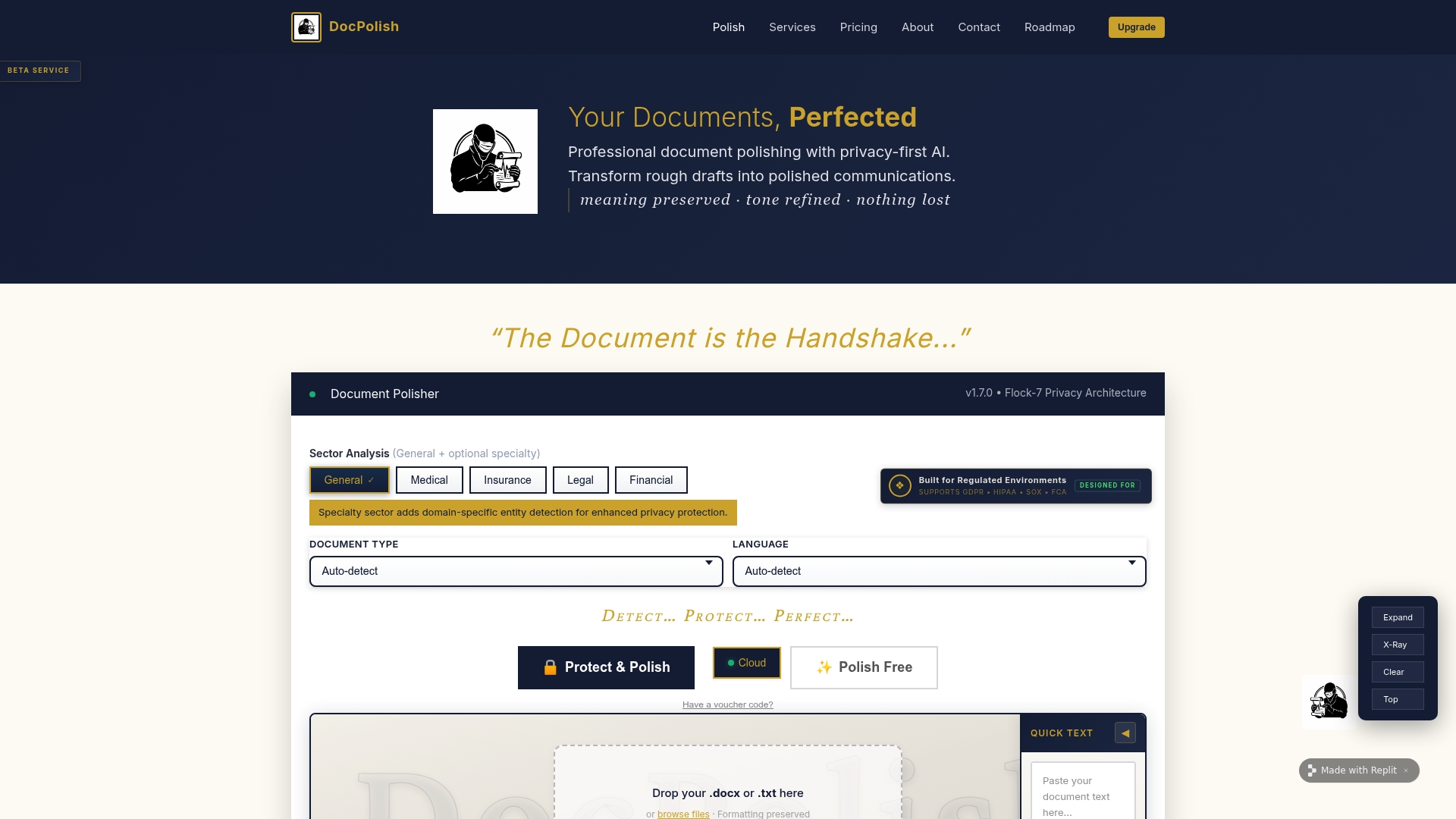
Docpolish resolves this by anonymising personally identifiable information in the user’s browser before the document reaches the AI refinement engine. The original PII is restored in the final output. Every document processed through Docpolish receives a trust identifier, giving teams an audit-ready record of each refinement action. The result is professionally polished documents with no PII exposure and a compliance-ready evidence trail built in from the start. For healthcare, legal, and finance teams that need both quality and compliance, Docpolish fits directly into existing regulated workflows without requiring infrastructure changes.
FAQ
What is a safe document workflow in regulated environments?
A safe document workflow in regulated environments is a system that enforces compliance through secure audit trails, role-based access controls, programmatic lifecycle management, and metadata integrity. It ensures every document action is recorded, authorised, and traceable to a named individual.
What does 21 CFR Part 11 require for document audit trails?
21 CFR Part 11 requires secure, computer-generated, time-stamped audit trails that capture operator ID, changed record elements, original and new values, and the reason for each change. Audit records must be tamper-resistant and retained for the lifespan of the associated record.
How does HIPAA affect document workflow design?
HIPAA requires retention of audit logs and policy documentation for six years, along with encryption at rest and in transit, multi-factor authentication, and fine-grained access controls. General consumer file-sharing tools do not meet these requirements.
What is the most common cause of audit trail failures?
The most common cause is security seams: points where documents leave the controlled system, such as email approvals, untagged scanned files, or personal device signing. These actions are not captured in the workflow audit trail and create incomplete evidence chains.
How does Docpolish support compliance in regulated document workflows?
Docpolish anonymises PII client-side before sending documents to its AI refinement engine, so sensitive data never leaves the user’s browser. Each processed document receives a trust identifier, providing an audit trail entry that supports GDPR and HIPAA compliance obligations.